
Guitar
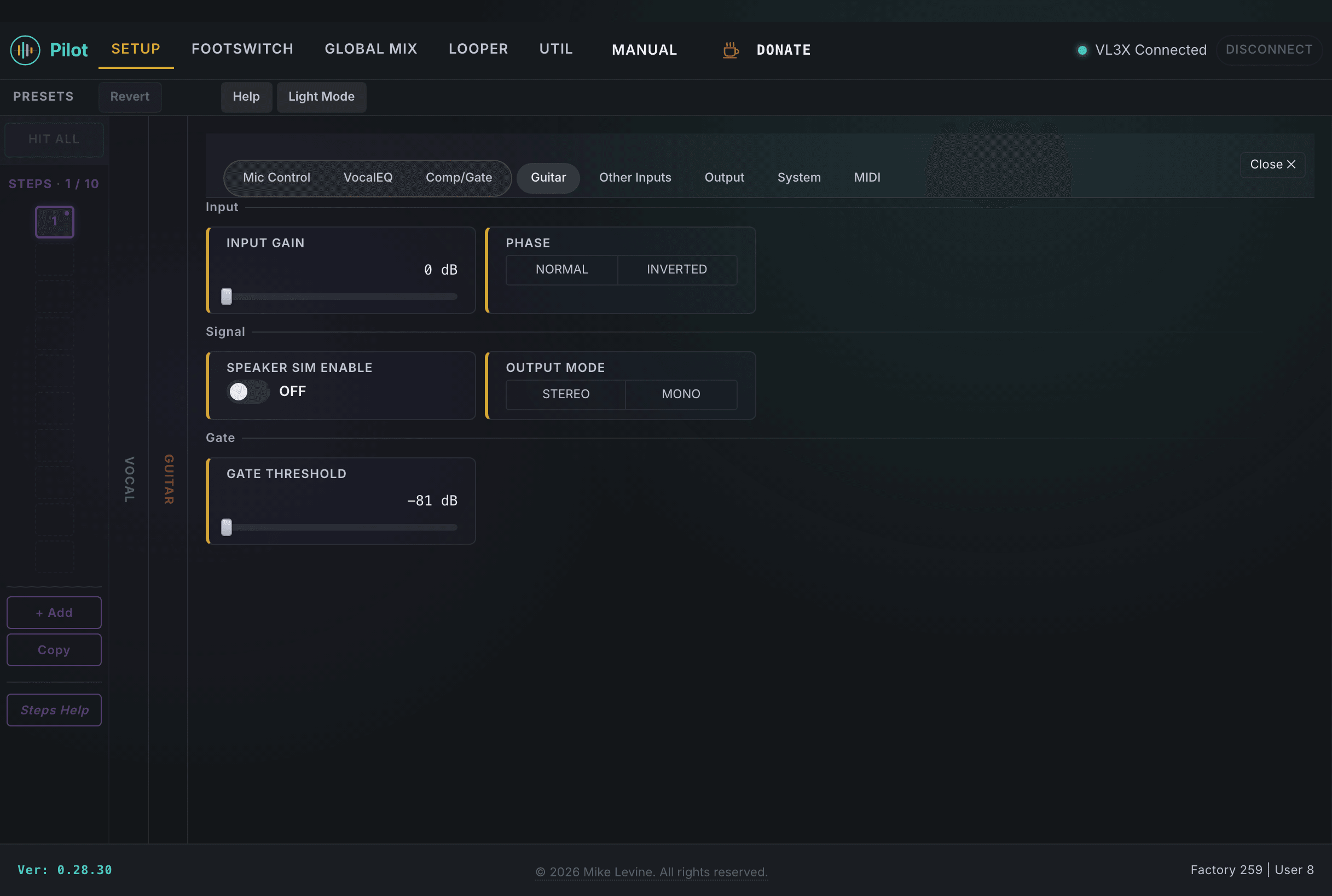
The Guitar setup page covers the dry guitar signal path: how hot the input is, whether phase inversion helps your rig, how aggressively the noise gate mutes between notes, whether the output simulates a cabinet, and how the output jack is routed. These settings live at the device level, so they apply globally across all presets.
Input
Input Gain and Phase are the first two things to set when you plug in a new guitar or change your signal chain. Phase is the one people forget, but it's worth checking any time you're running direct and hearing comb filtering or a thin sound.
| Parameter | Range | What it does |
|---|---|---|
| INPUT GAIN | 0-18 dB | Boosts the signal level from your guitar pickup before it hits the effects chain. Active pickups or high-output humbuckers may need less; single coils often benefit from a few dB. |
| PHASE | Normal / Inverted | Inverts the polarity of the guitar signal. Use this if you're experiencing phase cancellation with a second signal path, or if combining dry and wet signals sounds hollow or thin. |
Noise Gate
The guitar noise gate runs independently of the vocal gate. Set the threshold just below the quietest note you intend to play, so the gate doesn't clamp down on sustain but still silences hum between phrases.
| Parameter | Range | What it does |
|---|---|---|
| GATE THRESHOLD | -81 to 0 dB | Signals below this level are silenced. The wide range (-81 dB) accommodates everything from very quiet fingerpicking to hot pickups in noisy stage environments. |
Speaker Simulation
Speaker simulation adds a cabinet impulse response to the guitar output, making a direct feed sound more like a miked speaker cabinet. It's designed for going straight to a PA or interface without a real amp in the chain.
| Parameter | Range | What it does |
|---|---|---|
| SPEAKER SIM ENABLE | On / Off | Enables cabinet simulation on the guitar output. Turn this off if you're running into a real amp or a separate cab sim pedal downstream. |
Output Mode
Output Mode controls how the guitar signal level behaves at the output jack. The VL3/x screen labels these differently than the internal parameter values, so Pilot shows you the raw values.
| Parameter | Range | What it does |
|---|---|---|
| OUTPUT MODE | 2 values (enum) | Guitar output routing mode. Unity Gain (labeled STEREO on the VL3/x screen) holds the output level fixed. Variable Level (labeled MONO) allows the output level to be adjusted. Match this to your downstream rig's expectations. |