
Sharing Presets
Preset sharing lets you hand one of your VL3X sounds to another player as a plain link. The link is the sound: every effect setting travels inside it, so there is no upload, no account, and no server in the middle. You copy a link, send it however you already talk to people, and they open it on their own wired VL3X to try it and keep it. Sharing is started from the Share button in the top bar.
What a share carries, and what it does not
A share carries one preset, and specifically its sound: every vocal and guitar effect setting, across every step of the preset (including the HIT control). That is the part another player wants when you say "try my sound". A share deliberately leaves out the things that are not the sound, or that cannot travel:
| Carried in the link | Left out of the link |
|---|---|
| All vocal effect settings (HardTune, Harmony, Double, the creative effects, delay, reverb, and the rest). | Backing tracks. These are large audio files tied to your own unit and its setup (settings like Global Tempo), so they cannot travel in a link. |
| All guitar effect settings (amp, pedals, creative effects, delay, reverb). | Recorded loops. Loop audio lives in your device loop memory, not inside the preset, so it is never part of a share. |
| Every step in the preset, with its per-step values and HIT state. | Automations. An automation rides on a backing track, and with no backing track in the share there is no automation to carry. |
| The preset name (so the recipient sees what they received). | Loop-trigger routing. The pointers that say which loop slot a footswitch fires are reset, so the share does not point a new player at slots on a rig they do not have. This does not change how the preset sounds. |
Your guitar pedal assignments that are part of the sound are kept; only the backing-track pointer and the loop-trigger routing are stripped, and only routing (not audio) is involved. When the preset you are sharing uses a backing track, the Share window tells you plainly that the track is not included and that the recipient gets the sound only.
Works on VL3 and VL3X
The same link works whether you send it to a VL3 or a VL3X. When the recipient opens it, Pilot stamps the preset for the model that is actually connected before it does anything else. The two models store the same effect parameters, so this swap is lossless: nothing about the sound is lost in moving between them. There is no separate "VL3 link" and "VL3X link" to keep track of.
How to send a preset
- Load the preset you want to share (or select it from a Library or Organize row).
- Tap Share in the top bar. Pilot reads the preset from your device and prepares the link.
- The Share window opens. It names the preset, states that the sound is what travels, and (if the preset uses a backing track) explains that the track is not included.
- Tap Copy link. Paste the link into whatever you use to reach the other player. If copying fails for any reason, the link stays selectable so you can copy it by hand.
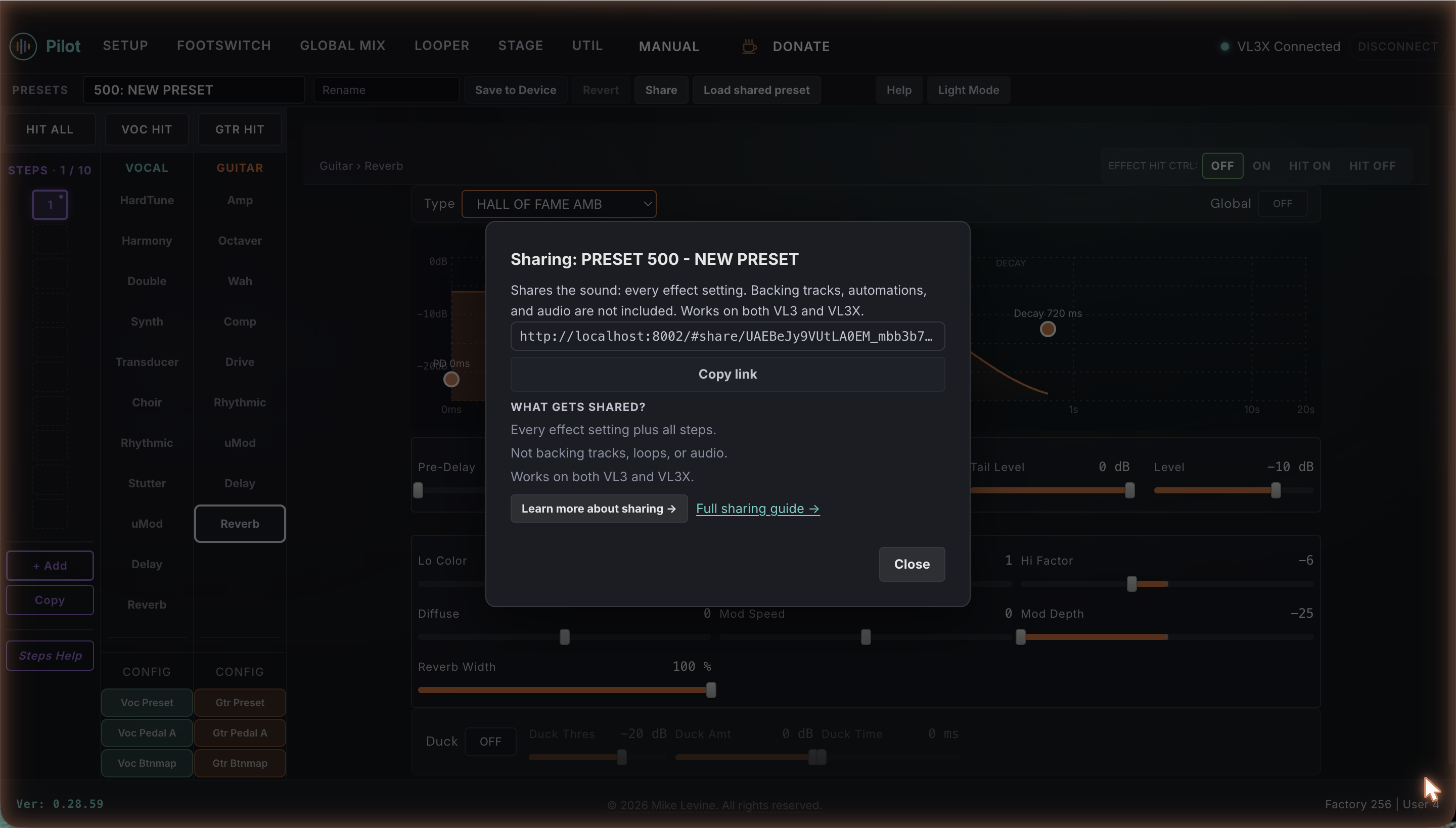
vl3x.info/#share/... followed by a long code. That long code is the preset. There is nothing to download and nothing to install; the recipient just opens the link.
How to receive a preset
There are two ways to open a share, and both lead to the same focused receive card. Opening a share never changes your device on its own.
- From a link. Open the share link on the computer or iPad wired to your VL3/VL3X. Pilot shows the receive card instead of the full editor.
- Inside the editor. Tap Load shared preset in the top bar, paste the link, and tap Load. The receive card opens over the editor; you stay where you were.
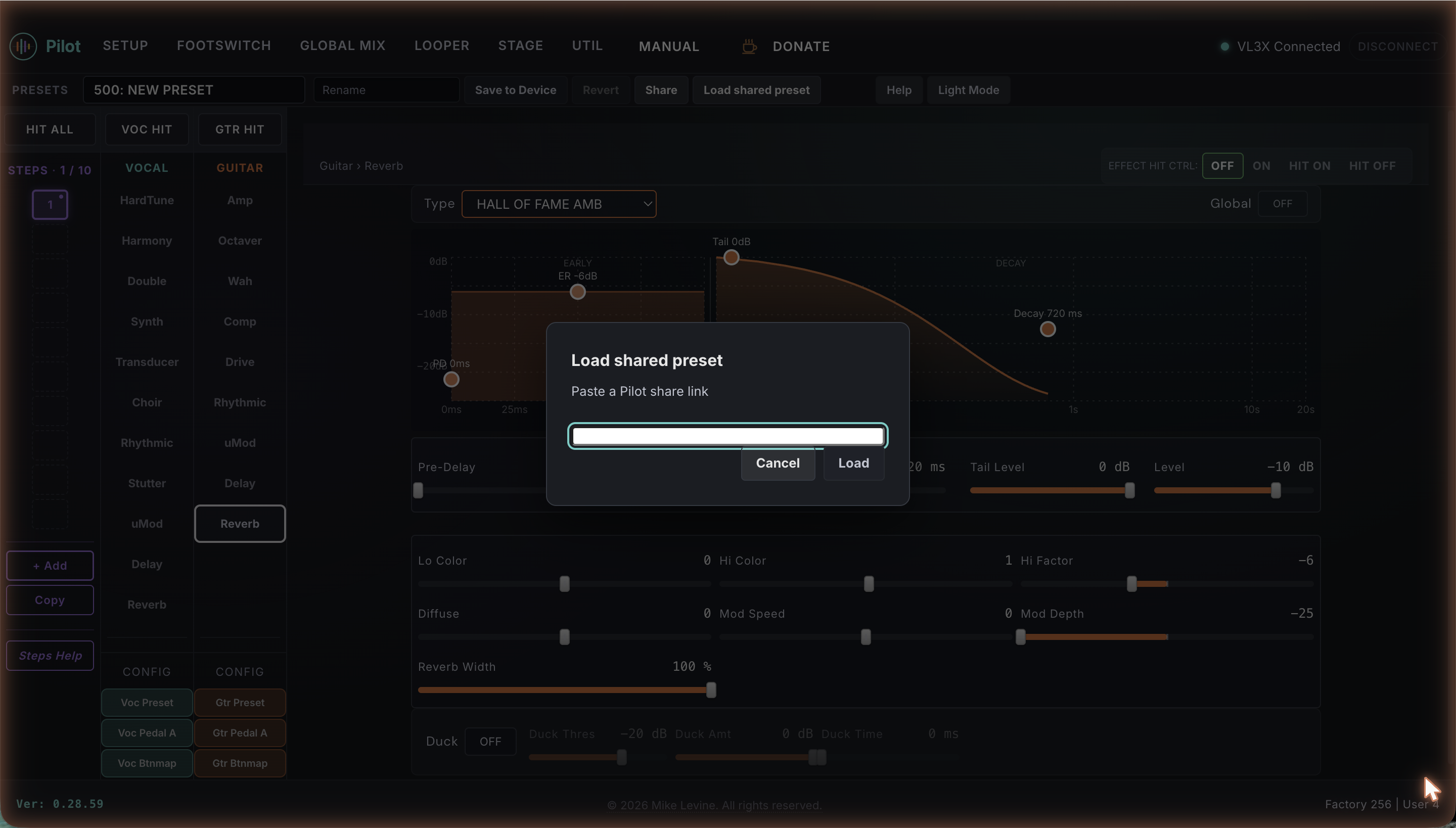
From there the steps are the same. You pick a slot, and Pilot installs the shared preset into it. There is no separate preview step: installing writes the preset into the slot you choose, so pick an empty slot or one you are happy to replace.
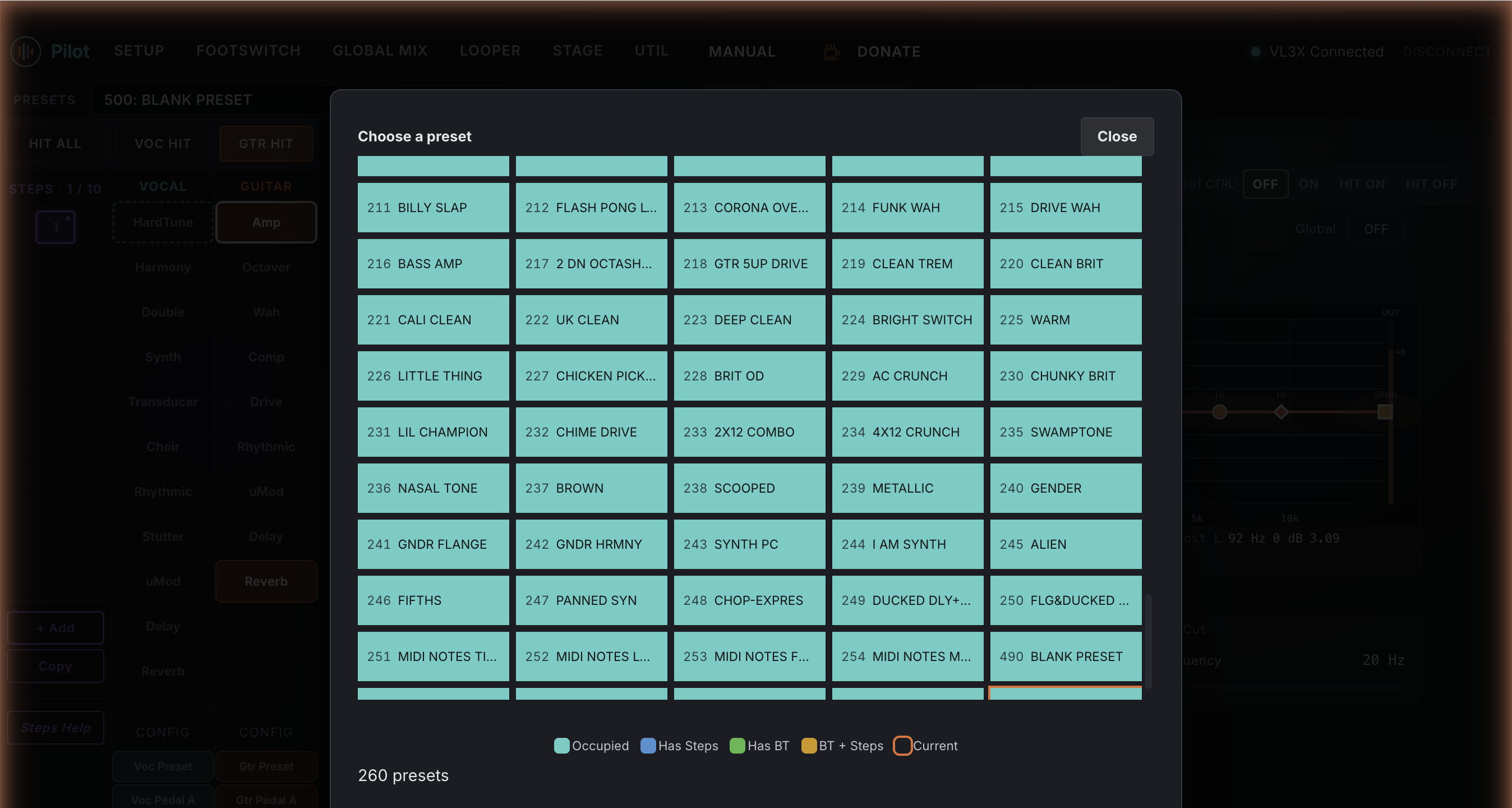
- Pick a slot. Tap Choose a slot. Pilot opens your preset grid so you can choose which slot to install the shared preset into.
- Confirm. Pilot shows "Install into slot N" with the preset name. You can pick a different slot here before you commit.
- Install. Tap Install to slot N. Pilot writes the shared preset into that slot. If the slot already holds a preset, Pilot asks you to confirm the replacement first, because it cannot be undone.
There is no preview and no undo: installing writes the shared preset into the slot you choose, and an occupied slot always asks you to confirm before it is replaced. Changes you made directly on the VL3/VL3X front panel - not in Pilot - are replaced by the installed preset. If your current Pilot sound has unsaved edits, Pilot asks what to do with them before installing, so nothing is lost by accident.
Your recorded loops
Installing writes preset settings only, not loop audio, so it is not meant to touch the loops you have recorded into device memory. When you install over an occupied slot, the confirmation says this in plain language so you can install a sound into a working slot without worrying about your loops.
Privacy
Sharing is backend-free by design. Nothing is uploaded when you create a link, and nothing is fetched from a server when one is opened; the entire preset lives inside the link text. There is no account to make, no login, and no tracking. The flip side of "no server" is that a link is not private on its own: anyone who has it can open it and try the sound, so send share links only to people you trust.
Troubleshooting
| Symptom | What to do |
|---|---|
| "This share link looks incomplete or damaged." | The link was cut off somewhere between sender and recipient (often a chat app that wraps long links). Ask the sender to paste the whole link again, in one piece. |
| "This is not a Pilot share link." | The link is not a Pilot share link at all. Check you copied the right thing; a Pilot link contains #share/. |
| "This link was made by a newer version of Pilot." | Refresh the page to update Pilot, then open the link again. |
| Nothing happens, or Pilot asks for a device. | Installing needs the VL3X wired over USB. Open the link on the computer or iPad connected to your unit. |
| The USB cable came loose during an install. | Reconnect the cable to finish installing to the slot you chose. If Pilot cannot, it offers a way to retry rather than failing silently. |
| I copied my own link, but it will not install on my VL3X. | Pilot's editor and a share page cannot use one VL3X at the same time. Open the link in the same browser tab (Pilot reloads into the share view and frees the device), or, if you opened it in a new tab, disconnect Pilot's editor first. A person you send the link to is never affected: they open it on their own unit. |